Fix Facebook Ad Policy Violations: 5 Ecommerce Errors and Exact Fixes
A policy violation means Meta has flagged your ad copy, creative, landing page, or targeting as breaking the Advertising Standards, and the immediate result is a rejected ad, throttled delivery, or an account-level hold. Your next move depends entirely on the cause: if the fix is obvious (bad claim, missing disclosure, mismatched landing page), edit and resubmit. If you believe Meta got it wrong, request a review through Account Quality with evidence attached.
TL;DR:
- Most policy violations are triggered by account clusters or repeated rejections, often due to similar landing pages, payment methods, or cloned creatives.
- Restrictions at the account level occur after multiple violations or suspicious behaviors, leading to throttled delivery or complete ad creation blocks.
- Accurate landing page and catalog hygiene, including matching claims and proper segmentation, is critical to avoid disapproval and account restrictions.
- Quick fixes for common violations include rewriting assumptive language, ensuring landing page consistency, and removing excessive text or low-quality assets.
- Regular account audits, proactive review workflows, and documented evidence significantly improve chances of resolving violations efficiently.
Table of Contents
- What Happens During Facebook’s Ad Review Process?
- What Are the Most Common Policy Violation Categories for Ecommerce Ads?
- Why Do Facebook Ad Accounts Get Restricted?
- How Do You Appeal a Rejected Ad or Restricted Account?
- Where Do Landing Pages and Catalogs Cause the Most Enforcement Trouble?
- What Should Ecommerce Teams Check Before Every Meta Ads Launch?
- What I’ve Learned Managing Policy Risk for DTC Brands
- Common Mistakes I’ve Fixed Across Dozens of Ecommerce Accounts
- How My Team at Cosma Helps Brands Stay Ahead of Meta Enforcement
- Where to Read Meta’s Official Policy Language
- Sources
- FAQ
What Happens During Facebook’s Ad Review Process?
Every ad you submit passes through an automated system first. Machine learning models scan your copy, creative, targeting parameters, and destination URL against the Advertising Standards before a human ever sees it. Most ads clear this stage within about 24 hours, though Meta is explicit that review can take longer, and approved ads stay subject to re-review at any point in their lifecycle, even after they have been running and spending for weeks.
That last part trips up a lot of ecommerce advertisers. I’ve seen campaigns that ran cleanly for a month suddenly get flagged because Meta re-scanned the landing page and found something new, like an added upsell popup or a changed return policy. Nothing about the ad itself changed. The destination did.
Here’s what actually gets examined during review, contrary to the assumption that only the creative and copy matter:
- Ad creative and copy: images, video, text overlays, and headline claims
- Targeting parameters: age, location, and interest combinations that could imply protected attributes
- Landing page content: whether the destination matches what the ad promises, plus technical health
- Catalog data: for dynamic and Advantage+ Shopping campaigns, individual product feed entries
- Account history: prior violations, verification status, and payment behavior
When automation flags something ambiguous, it routes to manual review, which is why timelines vary so widely between advertisers. A flagged image with text overlay might resolve in hours. A suspected misrepresentation claim tied to a health product can sit for days.
Escalation follows a pattern: individual ad disapprovals stay isolated at first. But when the same account racks up multiple disapprovals in a short window, or when several ad accounts tied to one business share suspicious signals (shared payment methods, similar landing pages, cloned creative), Meta escalates from ad-level enforcement to account-level restriction. That’s the point where delivery slows across your entire account, not just the flagged ad.
What Are the Most Common Policy Violation Categories for Ecommerce Ads?
Most ecommerce rejections fall into five recurring buckets. Knowing which one you hit changes how you fix it, because a generic “edit and resubmit” approach wastes review cycles on the wrong problem.
-
Personal attributes and privacy violations. Ads cannot assert or imply race, religion, health condition, financial status, or other protected traits, and Meta is specific that second-person phrasing like “Are you struggling with weight gain?” is a common trigger under the Personal Attributes policy. The fix is a rewrite from assumptive to descriptive language. Instead of “Are you dealing with back pain?” write “Support for people managing back pain.” The product benefit stays intact; the accusatory second-person framing disappears. This distinction between assumptive and descriptive phrasing is one Meta’s own guidance calls out directly, and it’s the single highest-leverage edit most DTC copywriters never make.
-
Misrepresentation and ad-to-landing-page mismatch. If your ad promises “50% off everything” and the landing page shows a sitewide discount of 20%, that’s a mismatch Meta’s crawlers actively check for, alongside broader misleading claims and catalog inconsistencies. Test this yourself before submitting: read your ad copy, then load the landing page cold, as if you were a stranger clicking from a feed. Does every claim in the ad appear, word for word or in clear substance, on the page? If you have to hunt for it, Meta’s automated crawl probably will too, and it won’t find it.
-
Restricted verticals and certification gaps. Supplements, CBD, financial products, and certain health claims require pre-approval or specific disclosures. Skipping this step gets ads rejected regardless of how tame the copy sounds.
-
Sensational or false-claim language, especially before/after imagery. “Guaranteed results” and dramatic transformation photos for skincare, weight loss, or supplements draw immediate scrutiny. Swap absolute language for qualified language (“many customers report”) and pair before/after visuals with visible disclaimers.
-
Creative technical issues. Excessive text overlay on images, low-resolution assets, or watermarks from stock photo sites can trigger rejection independent of your messaging entirely.
Pro Tip: Keep a shared “banned phrase” doc across your creative and copy team, updated every time an ad gets flagged for language. Most ecommerce accounts repeat the same three or four violation types for months because nobody documents the pattern.
Why Do Facebook Ad Accounts Get Restricted?
Account-level restriction is a different animal from a single ad rejection, and it’s far more damaging because it affects every campaign running under that account, not just the flagged one.
Meta’s own policy documentation notes that repeated or suspicious advertiser behavior can lead to restrictions on a Business Account or its assets, and advertisers carry responsibility for staying compliant across every asset they run. A handful of signals tend to trigger this:
- Multiple ad rejections within a short time span, especially for the same violation type
- Clusters of accounts sharing payment methods, IP addresses, or near-identical landing pages
- Failed identity or business verification requests
- Payment disputes or chargebacks flagged by Meta’s billing systems
When restriction hits, “limited delivery” is the softer version. Your ads still run, but Meta throttles reach while it reviews your account more closely, and cost per result often climbs because you’re competing in the auction with reduced trust signals. Full account restriction is harsher: new ad creation gets blocked, and existing campaigns may pause entirely.
Recovery follows a specific order, and skipping steps wastes time. First, isolate the problem: pull every active ad and identify which ones triggered flags recently. Second, audit your full account, not just the flagged ads, since Meta often reviews the whole account once one asset trips a wire. Third, complete any pending business verification Meta requests, since unverified accounts get scrutinized harder by default. Fourth, request an Account Quality review once you’ve fixed the underlying issue, not before.
How Do You Appeal a Rejected Ad or Restricted Account?
Not every rejection deserves an appeal. Use this decision rule: if you can identify the exact policy trigger and fix it (rewrite the copy, swap the image, correct the landing page), edit and resubmit. Save the appeal for cases where you’re confident the rejection was a misclassification, meaning the automated system flagged something that doesn’t actually violate policy.
-
Confirm it’s a misclassification before appealing. Reread the specific policy Meta cited. If your ad genuinely doesn’t violate it, that’s an appeal case. If it’s borderline, editing is faster than waiting on a review queue.
-
Gather evidence before you submit. Annotated screenshots showing exactly where your landing page matches your ad claims, a before/after diff if you’ve already made edits, and screenshots of prior approved versions of similar ads all strengthen your case.
-
Request the review through Account Quality. Meta confirms advertisers can request a review of disapproved ads and restricted assets directly through this flow, and doing so does not inherently harm your account standing. But use it selectively.
-
Write a concise, specific justification. Don’t write “please review, this seems wrong.” Write “This ad was flagged for personal attributes, but the copy uses descriptive language (‘support for people managing X’) rather than assumptive language (‘are you struggling with X’), consistent with Meta’s own phrasing guidance.” Specificity prompts faster human attention.
-
Set realistic expectations. Since most disapprovals are automated in the first place, appeals succeed most often when the original flag was an algorithmic misread rather than a genuine policy breach. If the appeal fails, that’s a signal to revise rather than resubmit the same appeal twice.
Pro Tip: Screenshot your landing page the same day you launch every ad. If you get flagged three weeks later, you’ll have proof of what the page looked like at approval time, which is often the strongest evidence you can attach to an appeal.
Where Do Landing Pages and Catalogs Cause the Most Enforcement Trouble?
Ecommerce teams obsess over ad creative and underinvest in landing page and catalog hygiene, which is backwards given how much enforcement now happens at that layer.
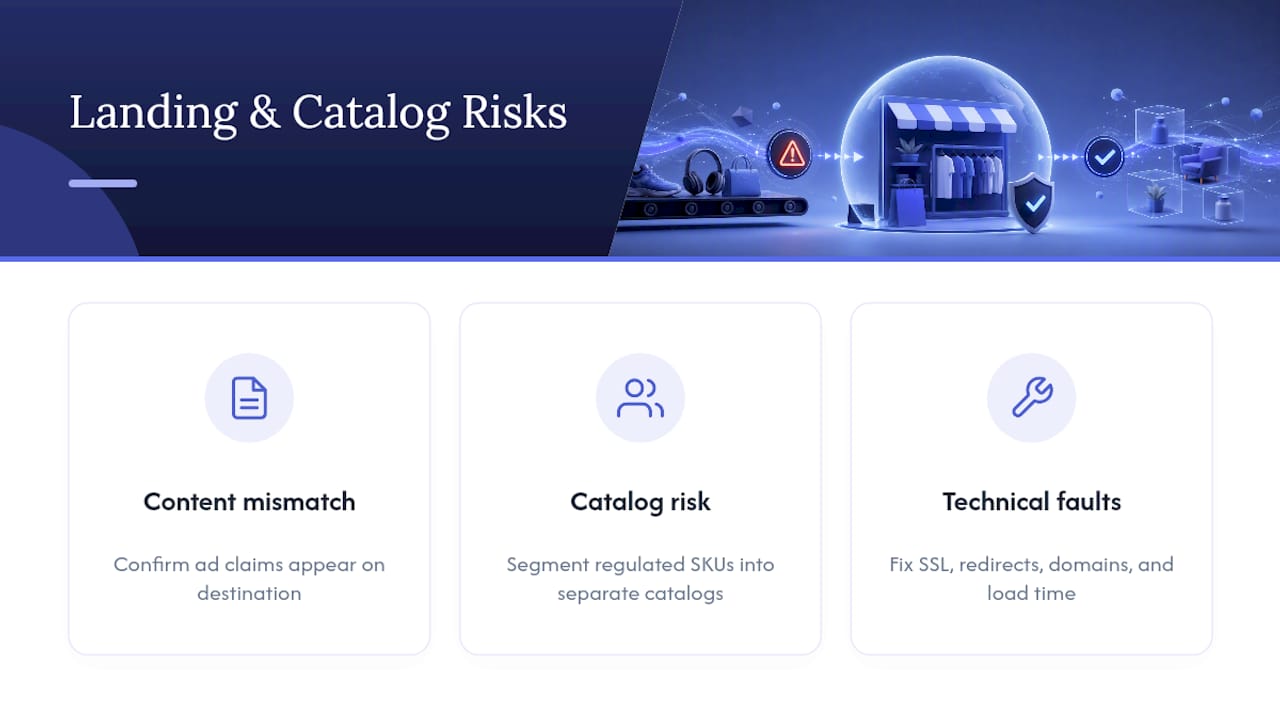
Run a quick semantic check before every launch: open the ad and the landing page side by side and confirm every specific claim (discount percentage, “free shipping,” “limited stock”) appears on the destination in matching substance. Meta’s crawlers check both the ad and the landing page for consistency, and gaps here are one of the most common disapproval causes in ecommerce specifically.
Catalog-driven campaigns carry their own risk. Commerce Manager can reject or restrict individual product items without touching your whole account, which sounds contained until you realize a single flagged SKU in a mixed feed can drag down an entire dynamic campaign’s performance. If your catalog mixes regulated items (supplements, health devices) with general merchandise, segment them into separate catalogs entirely. That isolates enforcement risk to the specific product line instead of exposing your full inventory to review.
Technical landing page issues matter just as much as content. Broken SSL certificates, redirect chains, mismatched domains between your ad and destination, and slow load times all count as enforcement signals, not just ranking factors. Run a fresh technical audit before every major campaign push.
What Should Ecommerce Teams Check Before Every Meta Ads Launch?
A prevention checklist beats a reactive appeals process every time, and most of what causes violations is catchable before you ever hit publish.
- Read every claim in your ad copy aloud and confirm it appears on the landing page in matching substance.
- Scan copy for assumptive second-person phrasing and swap it for descriptive language.
- Check creative for excessive text overlay, watermarks, or low resolution before uploading.
- Confirm restricted-category products (supplements, health claims) carry required disclosures.
- Verify catalog segmentation keeps regulated SKUs separate from general merchandise.
- Test landing page load speed and SSL status the same day you launch.
Beyond launch day, build weekly monitoring into your workflow. Assign one person to check Account Quality status and flagged-ad notifications every week, not just when something breaks. Automating creative QA, using tools built for review workflows like the ones covered in Chrome Cactus Studio’s AI profile guidance, cuts down on the human error that causes repeat violations.
Pro Tip: Assign one team member as the sole point of contact for Account Quality issues. Split ownership across multiple people is how violations sit unresolved for days while everyone assumes someone else is handling it.
What I’ve Learned Managing Policy Risk for DTC Brands
At Cosma, my team treats policy compliance as a pre-launch discipline, not a fire drill. The teams that avoid repeat violations build a documented review step into every launch, not just a checklist they skim once. Reproducible evidence, meaning screenshots and diffs saved at launch time, is what turns a shaky appeal into a fast one.
Common Mistakes I’ve Fixed Across Dozens of Ecommerce Accounts
The three mistakes I see most: landing pages that drift from the ad after launch, copy that’s overtargeted to the point of implying a personal attribute, and catalogs mixing regulated SKUs with general inventory. My team at Cosma reviews accounts exactly this way during an initial audit.
— Stefano Mazzei
How My Team at Cosma Helps Brands Stay Ahead of Meta Enforcement
Most agencies treat a policy violation as an emergency ticket. We treat it as a signal that something structural needs fixing, whether that’s catalog governance, landing page alignment, or a copy review process that catches personal-attribute language before it ever reaches Meta’s review queue.

My team at Cosma runs full account audits for DTC and ecommerce brands, mapping every active campaign against current Advertising Standards, checking catalog segmentation, and stress-testing landing pages for the semantic and technical gaps that trigger enforcement. When an account is already restricted, we build the appeal evidence ourselves, pulling the diffs and documentation that actually move a human reviewer. You can see how this plays out in practice across our case studies, or look through creative examples from accounts we’ve scaled past their compliance issues. If your account is currently restricted or you want a policy audit before your next major campaign push, book a call with my team and we’ll walk through what’s actually causing the flags.
Where to Read Meta’s Official Policy Language
For the exact wording behind every rule discussed here, go directly to Meta’s own documentation rather than relying on secondhand summaries. The Transparency Center’s Advertising Standards covers the full policy framework, while the Personal Attributes guidance details the exact phrasing patterns that trigger that specific violation. For catalog and Commerce Manager rules, Meta’s product catalog enforcement guidance explains item-level restrictions directly.
Sources
- Introduction to the Advertising Standards | Transparency Center
- How to request a review (Account Quality) | Meta Business Help
- Definitive Guide to Facebook Ad Disapprovals | Leadpages
- Why Is My Facebook Ad Disapproved? Top 10 Reasons (2026) | DeepClick
FAQ
What Counts as a Policy Violation on Facebook Ads?
A policy violation is any ad, landing page, targeting choice, or catalog item that breaks Meta’s Advertising Standards, covering categories like personal attributes, misleading claims, restricted content, and landing page mismatches.
What Does a Facebook Policy Violation Warning Actually Mean?
It means the automated system or a human reviewer flagged a specific asset, usually your copy, creative, or landing page, against a named policy, and the ad won’t deliver until it’s fixed or successfully appealed.
How Long Does It Take for a Facebook Ad Violation to Be Resolved?
Initial automated review usually completes within about 24 hours, though Meta states it can take longer, and appealed decisions through Account Quality typically add additional review time beyond that.
Why Is Facebook Restricting Me From Advertising?
Restrictions usually follow repeated ad disapprovals, suspicious account clusters, or failed business verification, and Meta’s own policy notes that advertisers are responsible for staying compliant across every asset in their account.


