
Ad Naming Conventions That Make Meta Reporting Reliable
Ad Naming Conventions That Make Meta Reporting Reliable
A short positional schema built on underscores and closed vocabularies turns your ad account into something you can actually query, instead of a graveyard of “Copy_2_FINAL” campaigns. Here’s the template I give every client at Cosma before we touch a single dollar of spend:
Product_Objective_YYYY-MM_Funnel_Audience_Geo
Three rules make this work in practice, not just on paper. First, every field pulls from a closed vocabulary, meaning a fixed list of approved values rather than whatever someone types that day. Second, never encode mutable values like budget, bid, or audience size into the name. They change weekly; the name doesn’t, and a name that lies is worse than no name at all. Third, always increment version numbers, v01 to v02 to v03, and never reuse one.
- Product, objective, date, funnel stage, audience, geo, in that fixed order
- Closed vocabularies only, no free text
- No budgets, bids, or anything that changes after launch
Names are data. According to Blip’s guide on Meta ad naming conventions, a positional naming structure with controlled vocabularies is what makes cross-account attribution and reporting workable at scale, instead of a manual reconciliation project every month.
Key Takeaways
A positional naming schema with closed vocabularies and no mutable fields is what makes Meta ad reporting queryable instead of manually reconciled.
| Point | Details |
|---|---|
| Use one fixed schema | Product_Objective_YYYY-MM_Funnel_Audience_Geo, applied consistently across every campaign level. |
| Never encode mutable data | Budgets, bids, and audience sizes change constantly; keep names limited to fields that stay stable. |
| Map names into UTMs | Mirror campaign names into utm_campaign and ad names into utm_content for aligned analytics. |
| Validate weekly | Split exports on the delimiter and check field counts, vocabulary matches, and date formats. |
| Get expert rollout help | Cosma builds naming specs, saved templates, and validation checks for multi-account ecommerce teams. |
Table of Contents
- What Should an Ad Naming Convention Include?
- Copy These Ad Name Templates
- How Do You Roll Out a Naming Convention Across a Team?
- Connect Names to UTMs and Creative Files
- Common Mistakes That Break a Naming System
- Why Standardized Names Improve Reporting and Analytics
- Adapting Naming Conventions Across Platforms
- How I Apply This at Cosma
- How Cosma Helps You Build and Enforce a Naming System
- Practical Guides and Templates to Consult
- Sources
- FAQ
What Should an Ad Naming Convention Include?
Meta’s account hierarchy has three levels, and each one should carry different information. Repeating the same field at every level wastes character budget and adds nothing to your reporting.
At the campaign level, encode objective, funnel stage, product or offer, launch date, and geo. This is the layer you’ll filter by most often in Ads Manager, so it needs to answer “what is this campaign trying to do, and when did it start” at a glance.
At the ad set level, encode audience type, audience detail, placement, and the optimization event. This is where targeting logic lives, so the name should tell you who you’re targeting without opening the ad set itself.
At the ad level, encode creative concept, format, creator, and version. Practitioner guides consistently map these three tiers to distinct dimensions, campaign for objective and timing, ad set for audience and placement, ad for creative and version, and warn against duplicating parent-level info at the child level, according to AdKit’s campaign naming guide.
You have two schema choices: positional (fixed field order, no labels) or key-value (labeled pairs like obj-conv_aud-lal1). Positional names scan faster once your team memorizes the order. Key-value names are self-documenting, useful if you’re onboarding freelancers constantly, but they run longer and eat into character limits faster. For most Meta advertisers, I recommend positional schemas unless you’re running programmatic parsing that specifically needs key-value pairs to extract fields reliably.
Delimiter and formatting rules matter more than people expect:
- Use underscores, not hyphens or spaces, since they survive CSV exports and UTM strings cleanly
- Write dates as ISO format, YYYY-MM, never “March 2026” or “3.26”
- Pick one casing standard, I use PascalCase for readability, and never mix it with lowercase in the same account
Pro Tip: Lock your field order in a pinned document before you launch a single campaign. Teams that skip this step end up renegotiating the schema three months in, once fifty campaigns already violate it.
Copy These Ad Name Templates
Here are the three templates I hand to new Cosma clients, with real-world shorthand baked in.
-
Campaign template:
Product_Objective_YYYY-MM_Funnel_Geo- Evergreen:
Bundle_Conv_2026-02_MOF_US - Seasonal:
SpringSale_Conv_2026-03_TOF_US-CA
- Evergreen:
-
Ad set template:
AudienceType_AudienceDetail_Placement_OptEvent- Retargeting:
RTG_ViewContent7d_FeedStory_Purchase - Lookalike:
LAL_1pct-Purchasers_Feed_Purchase - Broad:
Broad_Advantage_Automatic_Purchase
- Retargeting:
-
Ad template:
Concept_Format_Creator_Version- Example:
UGC_Vid_HookA_v01, thenUGC_Vid_HookA_v02once you iterate the hook
- Example:
One edge case trips up almost every team moving to Advantage+ or dynamic creative optimization: the algorithm controls targeting, so an audience field in the ad set name is meaningless. Name what you actually control instead, creative theme, launch cohort, and product set, according to Blip’s guidance on Advantage+ naming. An Advantage+ ad set might read Adv+_ProductSetA_2026-02 rather than trying to fake an audience label that no longer applies.
How Do You Roll Out a Naming Convention Across a Team?
A naming spec only works if it’s enforced, not just published in a Google Doc nobody opens after week one. Here’s the sequence I run at Cosma for every new account:
- Go forward-only. Apply the new schema to every new campaign starting today. Don’t attempt a mass rename of your entire history on day one.
- Tag legacy campaigns. Prefix old names with
LEGACY_so reporting scripts can filter them out without deleting historical data. - Build closed vocabularies. Write the approved list for each field, objectives, funnel stages, audience codes, geo abbreviations, and assign one person as the owner of that list.
- Save account-level templates. Meta lets you save naming templates per ad account. Use them, so every new campaign starts from the approved structure instead of a blank field.
- Automate validation. Export campaign names weekly and run a parsing check: does each name split into the expected number of fields, and does every value match the closed vocabulary?
- Rename selectively. If you must fix history, rename only your top-spending campaigns, log the change, and version your naming spec document itself (v1.0, v1.1) so the whole team knows which rules are current.
Pro Tip: Assign naming-spec ownership to one person, not a committee. Every multi-owner naming doc I’ve reviewed at Cosma had drifted within two months because nobody felt responsible for saying no to exceptions.
Connect Names to UTMs and Creative Files
A naming convention that stops at Ads Manager is only half finished. The other half is making sure those names travel cleanly into your analytics stack.

Map your campaign name directly into utm_campaign and your ad name into utm_content. Most platforms support dynamic placeholders, {{campaign.name}} and {{ad.name}}, that auto-populate these UTM parameters so you’re not manually retyping names into tracking URLs. According to AdKit’s naming template guide, mirroring names into UTMs is what keeps ad-platform data and web analytics data aligned instead of drifting apart over time.
Your creative library needs the same discipline. Standardize asset filenames before upload, something like Brand_Concept_Hook_v01.mp4, so the file and the ad it becomes share the same identifying logic. A creative team searching for “every hook variant we tested for the January launch” should be able to find it by filename alone.
Automated validation catches drift before it compounds:
- Split the name on your delimiter and assert the exact field count for that level
- Check every value against its closed vocabulary
- Assert date fields match YYYY-MM format
- Flag names exceeding your character ceiling
Keep campaign names roughly 60 to 90 characters. Longer names get truncated in Ads Manager columns and CSV exports, which defeats the entire point of a scannable schema.
Common Mistakes That Break a Naming System
Most naming systems don’t fail at launch, they fail three months later when nobody’s watching. The usual culprits, according to Blip’s breakdown of naming pitfalls:
- Including budget or bid values in the name, both of which change constantly and instantly go stale
- Mixing delimiters, some campaigns with underscores, others with hyphens, breaking every parsing script
- Inconsistent abbreviations, “RTG” in one campaign and “Retarget” in another, with no canonical list published anywhere
- Reusing version numbers instead of incrementing, which makes it impossible to tell which creative is actually live
- Names that exceed display length and get silently truncated in exports
Catching drift early is simple: pull a weekly CSV export and run a quick count of unique values per field. A sudden spike in unrecognized values is your alert that someone skipped the closed vocabulary.
Why Standardized Names Improve Reporting and Analytics
The entire reason this matters comes down to one thing: a naming convention turns unstructured labels into structured data you can filter, pivot, and trust.
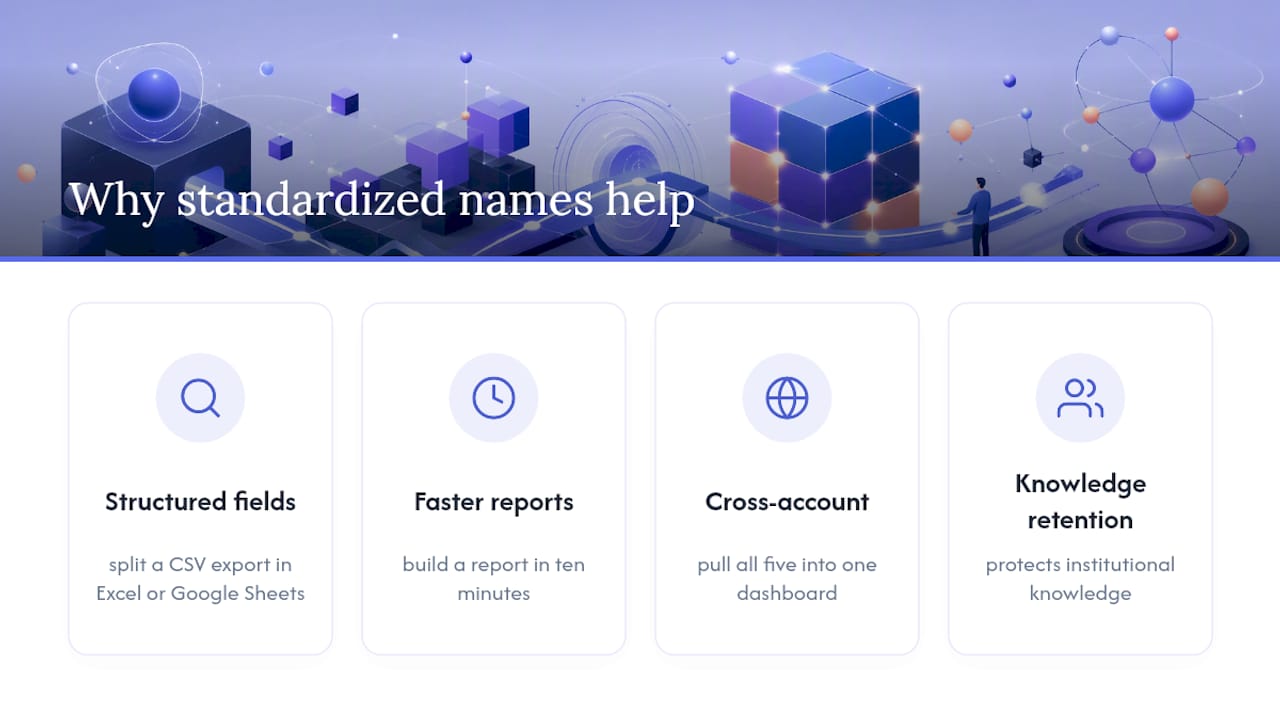
When every campaign name follows the same field order, you can split a CSV export in Excel or Google Sheets and instantly get objective, funnel stage, and launch month as separate columns, no manual tagging required. That’s the difference between building a report in ten minutes and building one in an afternoon of copy-pasting.
Cross-account reporting is where this pays off hardest. If you or your agency runs five ecommerce accounts, a shared naming spec means you can pull all five into one dashboard and filter by funnel stage or geo without reconciling five different labeling habits. Without it, every quarterly report becomes a manual translation exercise.
It also protects institutional knowledge. When a team member leaves, a well-named account explains itself. New hires can look at Bundle_Conv_2026-02_MOF_US and understand the campaign’s purpose without asking anyone. That’s not a small thing when agencies turn over staff or when founders hand off ad accounts to a new hire mid-quarter.
Finally, standardized names make automated dashboards and scripts viable in the first place. Looker Studio, Google Sheets pulls via API, or any BI tool that ingests Ads Manager exports depends on consistent field positions. One rogue campaign name with a missing field breaks the parsing logic for the entire report, which is exactly the failure mode a closed vocabulary and validation checks are built to prevent.
Adapting Naming Conventions Across Platforms
Meta, Google Ads, TikTok, and Pinterest all have different hierarchy structures and different character limits, so a naming spec that only works on Meta will crack the moment you add a second channel.
The fix isn’t to build a separate schema from scratch for each platform. It’s to keep your core fields, objective, funnel stage, date, audience, geo, identical across every channel, and only adjust the platform-specific layer underneath. Google Ads groups by campaign and ad group rather than campaign, ad set, and ad, so your ad set fields (audience, placement, optimization event) collapse into the ad group name instead. TikTok’s shorter character limits in some report views mean you may need tighter abbreviations for the same vocabulary, not a different vocabulary.
Add a platform code as a field if you’re running unified cross-channel reporting: Meta_Bundle_Conv_2026-02 versus Google_Bundle_Conv_2026-02. This lets you pivot a combined export by platform without losing the rest of the schema’s logic.
The trap most teams fall into is letting each platform’s team build its own naming habits in isolation. Six months later, nobody can merge Meta and Google performance data into one view without a manual mapping table. Decide your core field order once, document which fields adapt per platform and why, and hold every channel to that same document. The platform changes. The schema’s backbone shouldn’t.
How I Apply This at Cosma
The naming fix that pays off fastest, almost every time, is the campaign-level date and funnel field. Once those two fields are standardized, teams can pivot performance by month and funnel stage without touching a single ad set, and that alone usually surfaces budget misallocation nobody had noticed.
For a single-brand team, I’d stop there for the first month; audience and creative fields can wait. For a multi-account agency setup, the audience shorthand (RTG, LAL, Broad) matters immediately because you’re comparing patterns across accounts, not just within one.
We’ve rebuilt naming specs for Cosma clients mid-scale, and the reporting cleanup alone tends to save more analyst hours than any single creative test we run that quarter.
— Stefano Mazzei
How Cosma Helps You Build and Enforce a Naming System
Building the schema is the easy part. Enforcing it across a dozen accounts, three creative freelancers, and a media buyer who’s in a hurry every Friday is where most teams quietly give up. That’s the gap my team at Cosma closes.

We build the naming spec itself, closed vocabularies, saved account-level templates, and the validation checks that catch drift before it shows up in your monthly report. We also handle the UTM mapping so your Meta names and your analytics platform tell the same story without manual reconciliation. If you’re running one account with a lean team, you can likely implement everything in this article yourself over a weekend. If you’re managing multiple ad accounts, publishing high creative volume, or trying to build cross-account reporting that actually holds up, that’s exactly the kind of operational mess we untangle for ecommerce and DTC brands. You can browse how we’ve structured this for other accounts in our case studies, or book a review with my team and we’ll look at your current account structure directly.
Practical Guides and Templates to Consult
For readers who want to go deeper on specific templates or edge cases, three guides shaped the recommendations in this article.
Blip’s guide to Meta ad naming conventions covers multi-account rollout in detail, including how to handle Advantage+ campaigns where the algorithm controls targeting. AdKit’s campaign naming conventions guide includes a copy-paste template mapped directly to UTM parameters, useful if you want to skip straight to implementation. AdsUploader’s breakdown of ad naming structure goes deeper on delimiter choice and why underscores outperform hyphens across export formats.
If you want more tactical breakdowns on Meta Ads structure and creative testing beyond naming, I cover those on my site as well.
Sources
- Meta Ad Naming Conventions Across Accounts - Blip
- Campaign Naming Conventions: Guide + Copy-Paste Template
- Ad Naming Conventions: Templates and Structure for Meta Ads
FAQ
What Is the Best Naming Convention for Meta Ads?
A positional schema using underscores, closed vocabularies, and no mutable fields, such as Product_Objective_YYYY-MM_Funnel_Audience_Geo, works best for most Meta advertisers because it’s fast to scan and easy to parse.
Should I Use Underscores or Hyphens in Ad Names?
Underscores are the safer choice because they survive CSV exports, UTM parameters, and most BI tools without breaking, while hyphens sometimes get misread as delimiters within URLs.
How Do I Name Advantage+ or Dynamic Creative Campaigns?
Since the algorithm controls targeting in Advantage+, name what you actually control, creative theme, launch cohort, and product set, instead of an audience field that no longer reflects reality.
How Often Should I Update My Naming Spec?
Update it only when you add a new field or platform, version the document itself (v1.0, v1.1) each time, and apply changes forward-only rather than renaming your entire account history.
Can Cosma Help Set Up Naming Conventions for My Account?
Yes. My team at Cosma builds naming specs, saved account-level templates, and automated validation checks for ecommerce brands managing multiple accounts or high creative volume.